Interface
Technology from Stargate Journey (mainly Stargates) can be controlled with computers from ComputerCraft: Tweaked. This is achieved through the use of Interfaces, which, as the name suggests, interface with alien technology and enable you to control it.
They can read information from a Stargate and provide a redstone signal with a comparator. And they can also act as computercraft peripherals.
This page will only cover the integration of interfaces with CC: Tweaked.
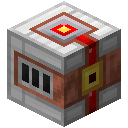
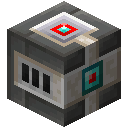
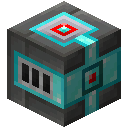
There are three available Interfaces - Basic Interface, Crystal Interface, and Advanced Crystal Interface.
See the interface page for a general description and redstone interactions.
Available Functions
Functions available on the interface depends on the technology to which the interface is connected.
Connecting the Interface
The interface needs to face the technology it should connect to.
The correct orientation can be seen on the image below where the basic interface is facing the glass block.
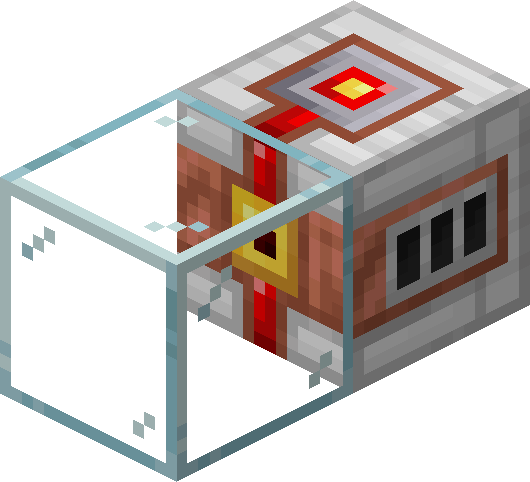
In the same style, the interface can be oriented up or down as well. It will connect to any supported block right in front of it. There must be no other block between the interface and the block, they must be directly touching each other.
To connect a computer to the interface, it needs to either be placed right next to the interface, or connected with a cable modem. The wireless modem can not be used. Note that the cable modems on both sides need to be activated by right-clicking, lighting them red.
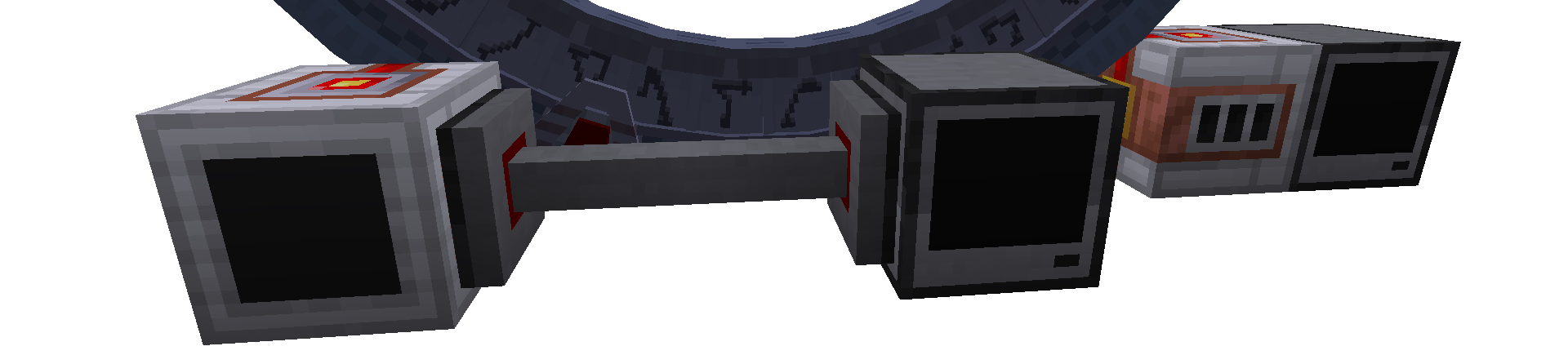
In the program, an interface can be acquired using the find function.
local interface = peripheral.find("basic_interface")
if interface == nil then
    printError("The interface is not connected")
    return
end
You can also instruct the program to use any available interface type, but keep in mind that not all features are available for every interface type.
local interface = peripheral.find("advanced_crystal_interface") or peripheral.find("crystal_interface") or peripheral.find("basic_interface")
if interface == nil then
    error("The interface is not connected")
end
See also about CC:Tweaked peripherals
Common Interface Functions
The following functions are available using any interface at all times. Even when the interface is not connected to any other technology.
addressToString(address)
source Converts the array specified by the Stargate’s address into the standard form used by the mod: -1-2-3-4-5-6-7-8-.
Parameters
address:number[]The array of numbers representing an address.
Returns
stringThe address in text form used by the mod. Returns"-"when the address is empty or has more than 8 symbols.
Usage
- Convert the abydos address to text
-26-6-14-31-11-29--- find any interface connected to the computer local interface = peripheral.find("advanced_crystal_interface") or peripheral.find("crystal_interface") or peripheral.find("basic_interface") if interface == nil then error("The interface is not connected") end -- use the interface: local stringAddress = interface.addressToString({ 26, 6, 14, 31, 11, 29 }) print(stringAddress) -- prints -26-6-14-31-11-29-
Lua equivalent
A function having the same effect implemented in Lua without the need of an interface.
function addressToString(address)
    if #address == 0 or #address > 8 then
        return "-"
    end
    return "-" .. table.concat(address, "-") .. "-"
end
getEnergy()
source Returns the current amount of energy stored in the interface. Uses FE (Forge Energy).
Returns
numberThe energy [FE] stored within the interface
See also
Usage
- Print the current amount of energy in the interface
-- find any interface connected to the computer
local interface = peripheral.find("advanced_crystal_interface") or peripheral.find("crystal_interface") or peripheral.find("basic_interface")
if interface == nil then
  error("The interface is not connected")
end
-- use the interface:
local energy = interface.getEnergy()
print("There is "..energy.." FE in the interface")
getEnergyCapacity()
source Returns the maximum amount of energy [FE] that can be stored in the interface.
Returns
numberThe interface capacity
Usage
- Print the energy capacity of the interface
-- find any interface connected to the computer
local interface = peripheral.find("advanced_crystal_interface") or peripheral.find("crystal_interface") or peripheral.find("basic_interface")
if interface == nil then
  error("The interface is not connected")
end
-- use the interface:
local capacity = interface.getEnergyCapacity()
print("The interface can store up to "..capacity.." FE")
getEnergyTarget()
source Returns the current energy target that is set for the interface.
Returns
numberThe current energy target [FE]
See also
Usage
- Print the current energy target
-- find any interface connected to the computer
local interface = peripheral.find("advanced_crystal_interface") or peripheral.find("crystal_interface") or peripheral.find("basic_interface")
if interface == nil then
  error("The interface is not connected")
end
-- use the interface:
local energyTarget = interface.getEnergyTarget()
print("The current energy target: "..energyTarget.." FE")
setEnergyTarget(energyTarget)
source Sets the energy target to the amount specified by energyTarget parameter.
Parameters
energyTarget:numberThe new energy target
See also
Usage
- Set a new energy target
-- find any interface connected to the computer
local interface = peripheral.find("advanced_crystal_interface") or peripheral.find("crystal_interface") or peripheral.find("basic_interface")
if interface == nil then
  error("The interface is not connected")
end
-- use the interface:
-- the amount of energy [FE] required to reach another galaxy by default (100 000 000 000)
local energyTarget = 100000000000
interface.setEnergyTarget(energyTarget)